
Security monitoring for GitHub organizations
GitSnitch watches your GitHub organization for security events and alerts you the moment something suspicious happens.
Installs as a GitHub App · Read-only access · No source code stored
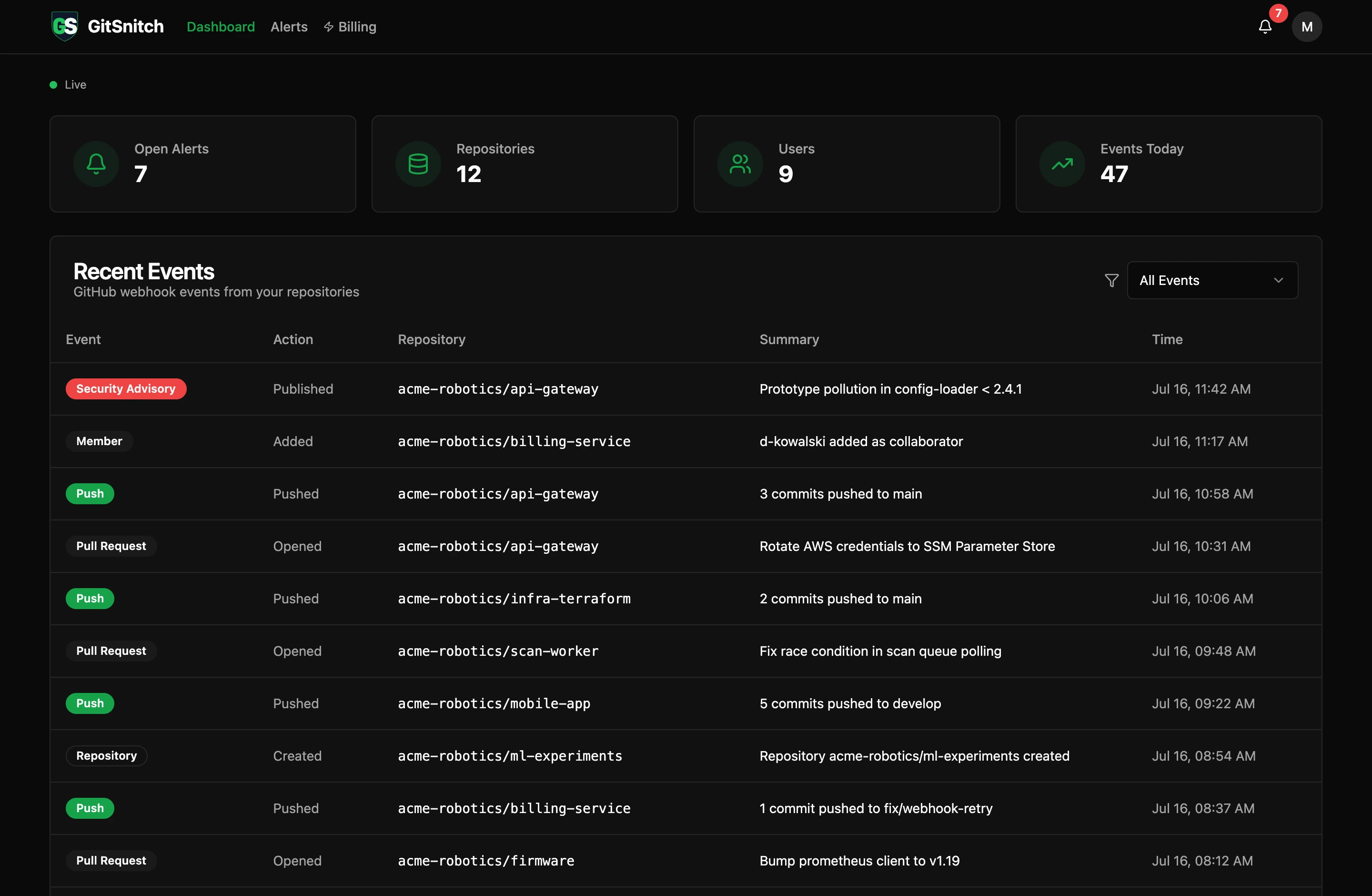
Live dashboard with demo data — every webhook event and alert in one place.
What we monitor
Eight specific detection types. Each fires a real alert with the actor, repository, and timestamp. Full forensic detail is available on the Team plan.
New Admin or Collaborator
CriticalFires when a new organization admin is added or a collaborator is granted access to a repository.
Branch Protection Change
HighFires when a branch protection rule or repository ruleset is created, modified, or deleted.
Secret Exposed
CriticalFires when gitleaks detects an API key, password, token, or credential in a new commit. Powered by the open-source gitleaks engine.
Force Push
HighFires when any branch receives a force push, which rewrites git history and can destroy audit trails.
After-Hours Commit
MediumFires when a commit is pushed outside configured business hours (default: 08:00–18:00 UTC, Monday–Friday).
Dormant Admin Activity
HighFires when an admin account inactive for 90+ days suddenly becomes active — a common indicator of account compromise.
Security Advisory
HighFires when GitHub publishes a security advisory affecting a dependency in one of your monitored repositories.
PR Merge
InfoFires when a pull request is merged, giving you a complete audit trail of every code change that lands in your default branch.
How it works
Install the GitHub App
Click Install above and authorize GitSnitch on your organization. Choose which repositories to monitor. Setup takes under a minute.
Configure notifications
From your dashboard, add a Slack incoming webhook URL or one or more email addresses. Alerts are sent within seconds of the triggering event.
Review alerts in real time
Your dashboard streams alerts as they arrive. Acknowledge, resolve, or dismiss each one. On the Team plan, every alert includes the full forensic detail — commit SHA, file path, line number, and matched pattern.
Permissions we request
GitSnitch is read-only. We never write to your repositories, create issues, approve pull requests, or modify any settings. Here is every permission the GitHub App requests and exactly why.
| Permission | Access | Why we need it |
|---|---|---|
| Repository metadata | Read | To list repositories and display repo names in alerts |
| Repository contents | Read | To clone commit ranges for secret scanning. Clones are deleted immediately after the scan. |
| Organization members | Read | To detect new admin and collaborator additions |
| Webhooks | Read | To receive push, PR, and membership events from GitHub |
| Security advisories | Read | To receive advisory notifications from GitHub |
Simple, transparent pricing
Free for individuals getting started. $29 per org per month for Pro. Enterprise pricing for organizations with custom requirements.
Not ready to install yet?
Leave your email and we'll reach out as we ship new features.
Ready to start monitoring?
Install takes under a minute. Free plan — no credit card required.
Start for free